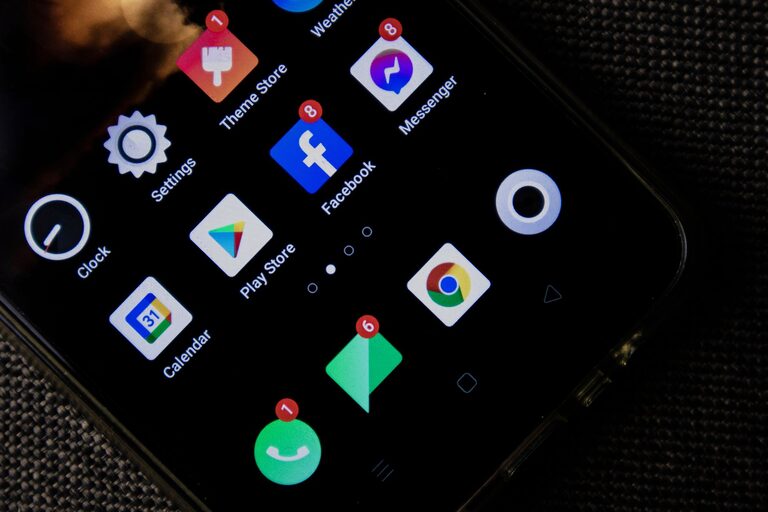











In today’s digital age, our devices often become cluttered with files, apps, emails, and notifications. This digital chaos can lead to distraction, wasted time, and even stress. Just like tidying a physical space can refresh your environment and mindset, decluttering your digital life can create more focus and efficiency throughout your day.
In this post, we’ll explore simple, practical steps to help you clean up your digital world. Whether you’re overwhelmed by a messy desktop or buried under a pile of unread emails, these tips provide a clear path toward a more organized and calm digital experience.
Why Declutter Your Digital Life?
Before diving into the how-to, let’s quickly look at why digital decluttering is important:
– Enhances Productivity: A tidy digital workspace makes it easier to find what you need quickly.
– Reduces Stress: Clutter can feel overwhelming and distracting; a clean digital space promotes calmness.
– Improves Device Performance: Removing unnecessary files and apps can free up storage and speed up your computer or phone.
– Protects Privacy and Security: Regularly clearing old files and apps reduces the risk of security breaches.
Step 1: Clean Up Your Desktop and File System
Your desktop is often the first thing you see when you start your device. A cluttered desktop can make it hard to focus.
Tips for a Cleaner Desktop
– Remove unnecessary shortcuts and files.
– Create folders for different types of files (e.g., Work, Personal, Projects).
– Use meaningful file names to locate items quickly.
– Regularly archive or delete files you no longer need.
Organizing Your Files
– Sort files by category or project.
– Use cloud storage solutions for backups and to free up local space.
– Delete duplicate or outdated files.
– Set a weekly or monthly schedule for digital tidying.
Step 2: Manage Your Email Inbox
Email is a major source of digital clutter for many people. An overflowing inbox can be overwhelming and cause you to miss important messages.
Strategies for Email Organization
– Unsubscribe from newsletters or promotions you no longer read.
– Use email filters and labels to automatically sort incoming mail.
– Archive or delete old emails regularly.
– Aim to achieve “inbox zero” — either by responding, deleting, or archiving each email.
Step 3: Declutter Your Apps and Software
Unused or outdated apps take up storage and can slow your device.
How to Manage Your Apps
– Review all installed apps on your phone and computer.
– Delete apps you haven’t used in the last 3 months.
– Update apps you want to keep to ensure security and performance.
– Use app folders to group similar apps and make your screen neater.
Step 4: Organize Your Digital Accounts and Passwords
Managing multiple accounts online can contribute to digital chaos.
Tips for Account Management
– Delete accounts you no longer use or need.
– Use a reputable password manager to store and generate secure passwords.
– Regularly update your passwords.
– Set up two-factor authentication where available for added security.
Step 5: Tame Notifications and Digital Distractions
Notifications can interrupt your workflow and add to mental clutter.
How to Control Notifications
– Turn off non-essential notifications on your phone and computer.
– Use “Do Not Disturb” modes during focused work times.
– Limit social media usage by setting daily time limits or using focused apps.
– Schedule specific times to check emails and messages instead of constant monitoring.
Step 6: Backup Important Data Regularly
Backing up data protects you from data loss and keeps your digital life secure.
Backup Best Practices
– Use cloud storage services or external hard drives for backups.
– Schedule automatic backups when possible.
– Keep backups organized and labeled by date.
– Test backups periodically to ensure data can be restored.
Step 7: Adopt New Habits for a Clutter-Free Digital Life
Once you’ve cleaned up, maintaining your digital space is key.
Daily and Weekly Habits
– Spend a few minutes daily deleting unneeded files or emails.
– Review your calendar and digital to-do lists regularly.
– Set reminders to perform deeper cleans monthly.
– Be mindful about downloads and app installs; ask if you really need them before adding.
Final Thoughts
Just like physical spaces, your digital environment impacts your mood and productivity. By following these steps, you can reclaim control over your digital life and enjoy a clearer, calmer online experience. Remember, digital decluttering isn’t a one-time task but an ongoing process. Start small, stay consistent, and you’ll soon notice the benefits.
—
Feel free to share your own digital decluttering tips or experiences in the comments below!